
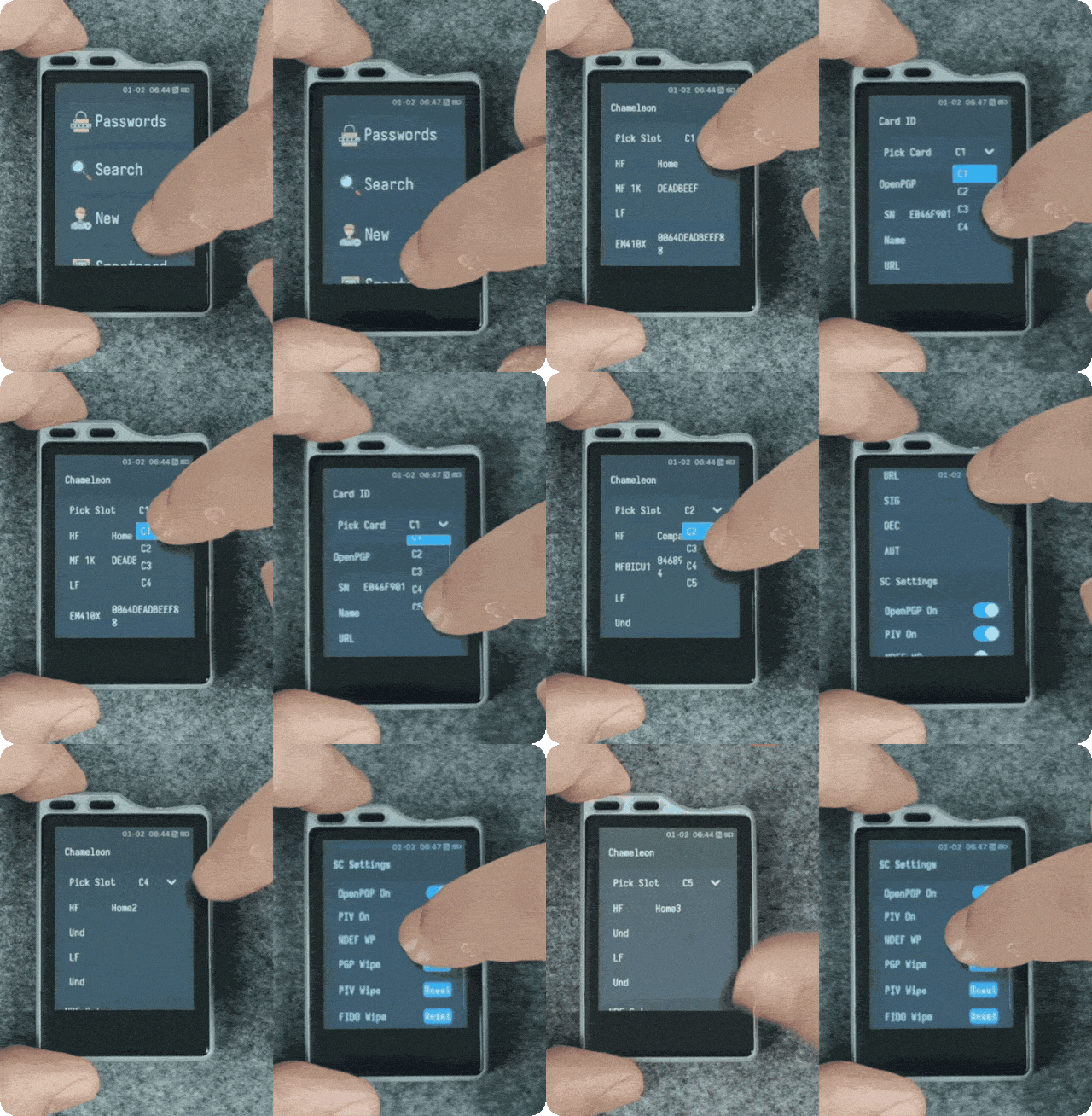
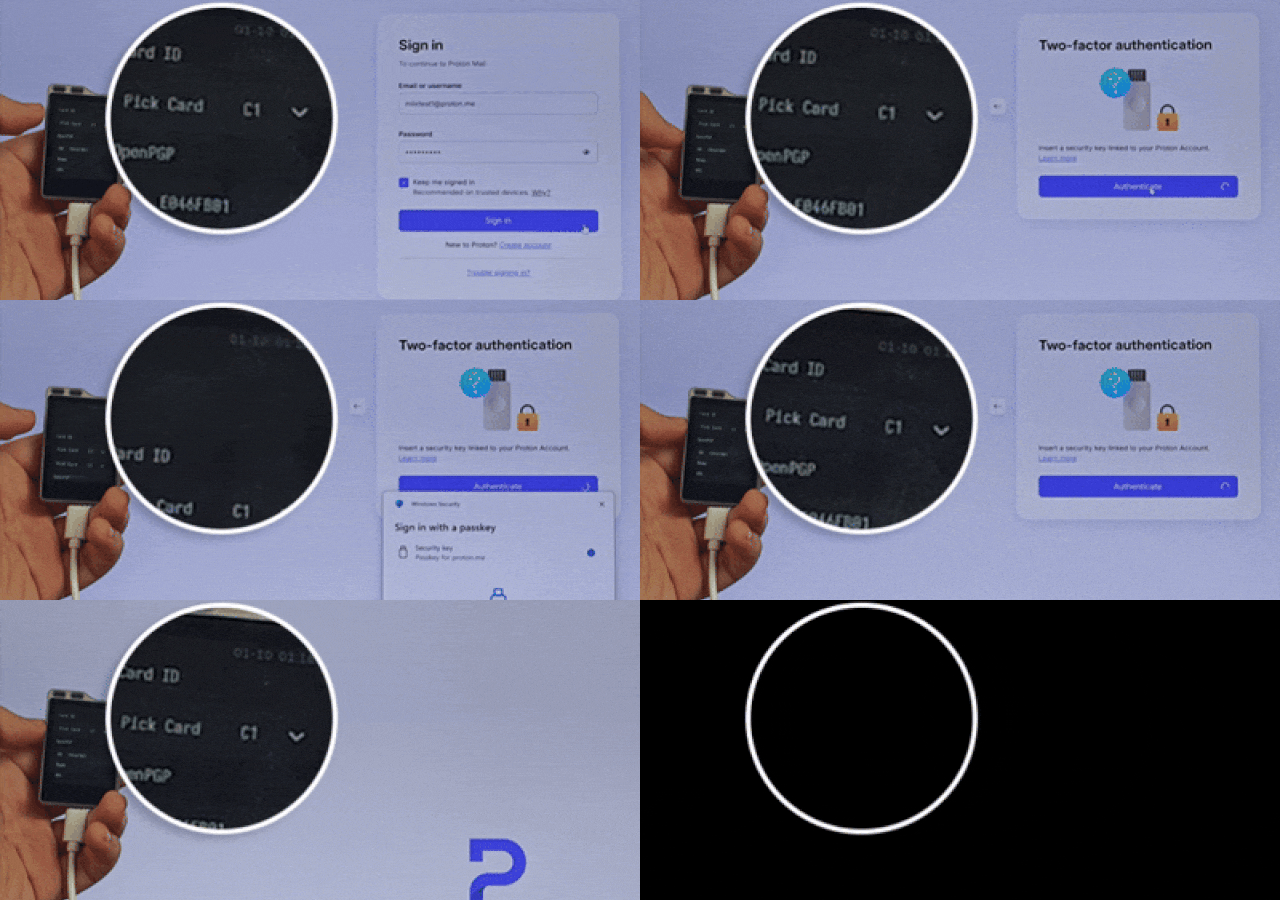
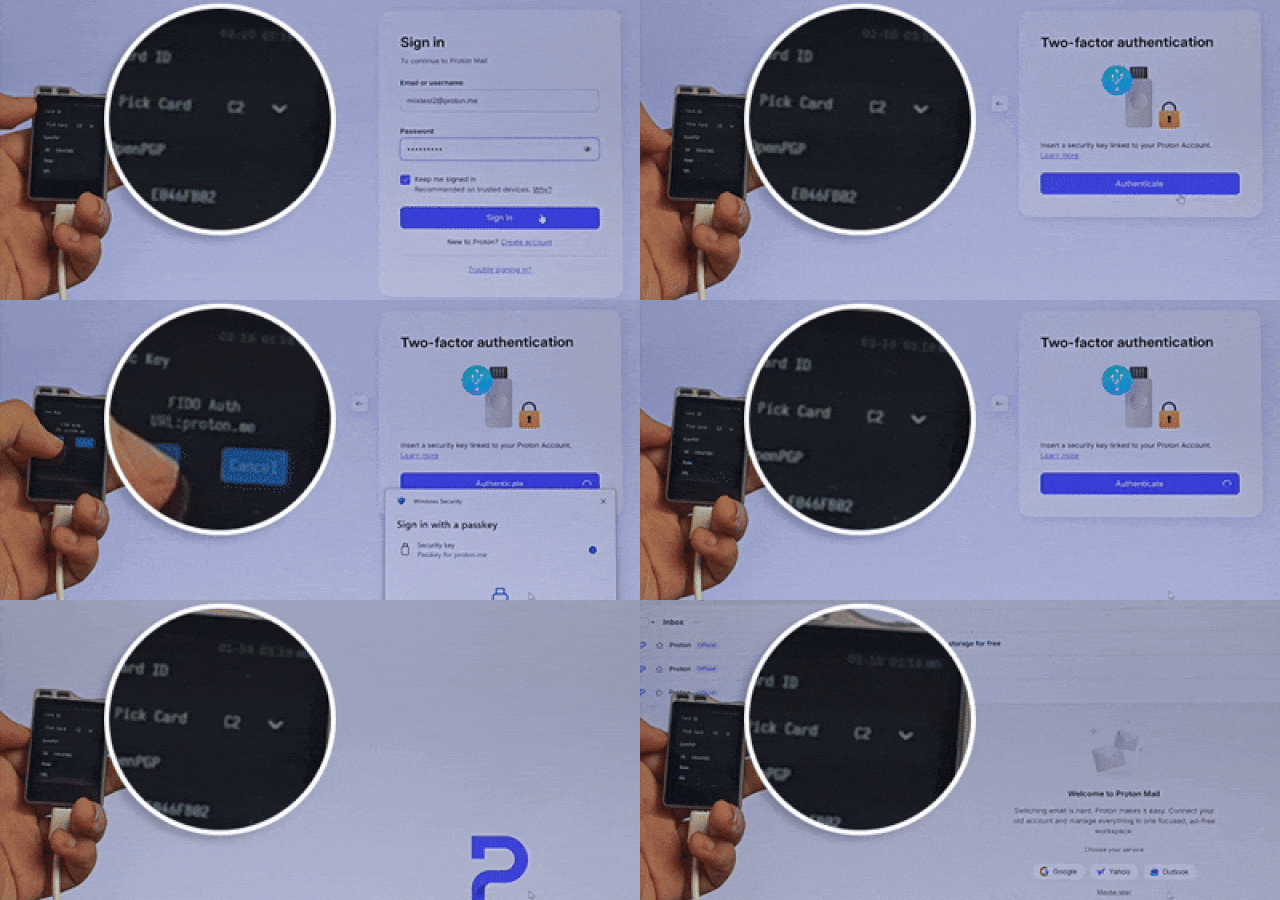
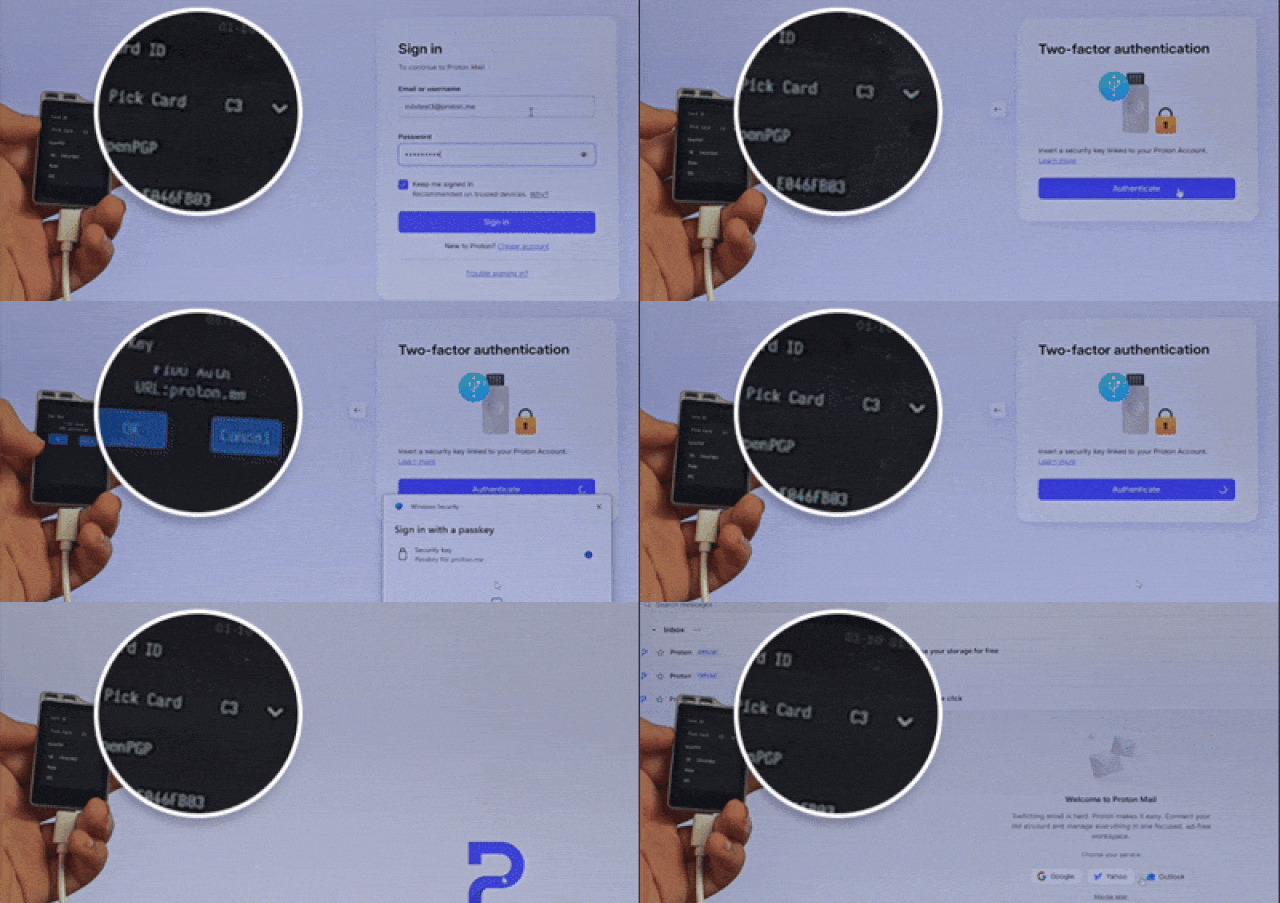
We used numerous GIFs in this project to demonstrate MiixKey operations. Please wait patiently for the GIF files to load.
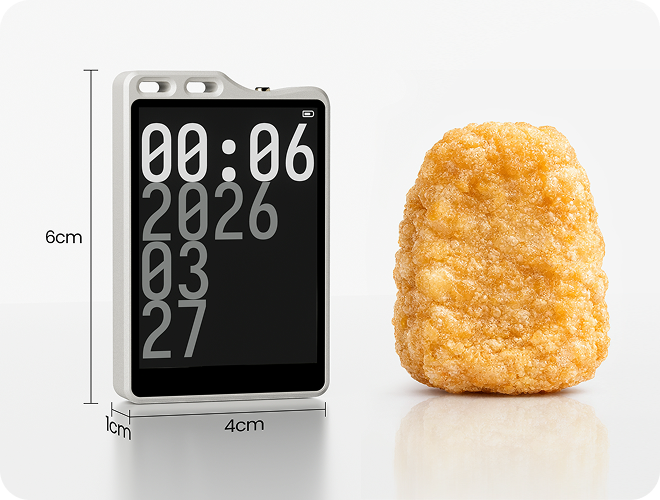
These are my favourite McDonald’s Chicken Nuggets.
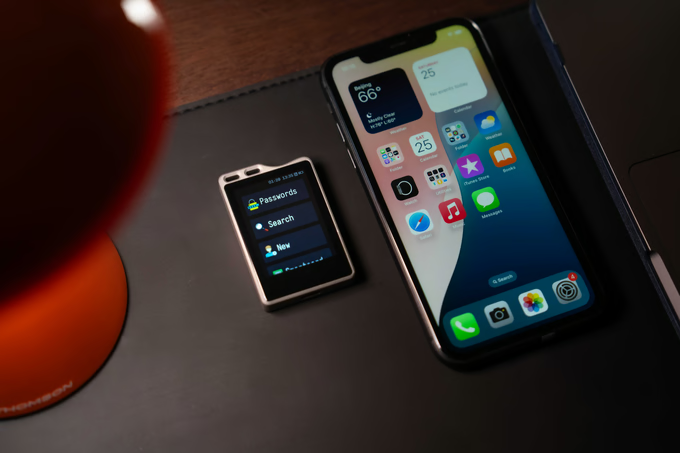

The MiixKey is really small. Here’s how it compares to the iPhone 13. If we had the 17 Pro Max, it would look even smaller.
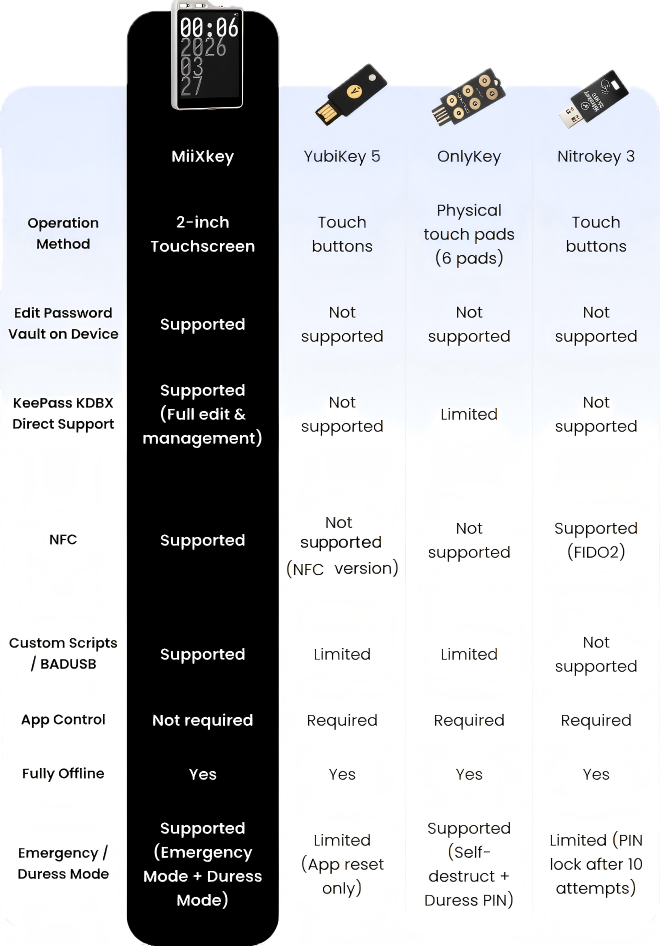
Other security keys may look smaller, but creating or searching passwords and usernames data inside them always requires connecting to a computer or phone.

Search and Edit



We gave MiixKey its ownbuilt-in 2 inch touch screen, so you canset up, edit, search for, deleteusernames and passwords, and manage everything directly on the device—without ever needing to connect to a phone or computer. In our view, every extra connection adds another layer of risk.
Smart Cards Setting and NFC Settings
Most traditional security keys can only storeoneFIDO,oneOpenPGP,onePIV andoneNFC.
MiixKey can store up toeight NFC cards, which you can switch between at any time.
You can also use the screen to quickly switch between yourfive smart cardslots, select functions, or choose your connection method (USB, Bluetooth, NFC), instead of carrying multiple traditional security keys around.

Log in to your Google account using NFC and FIDO
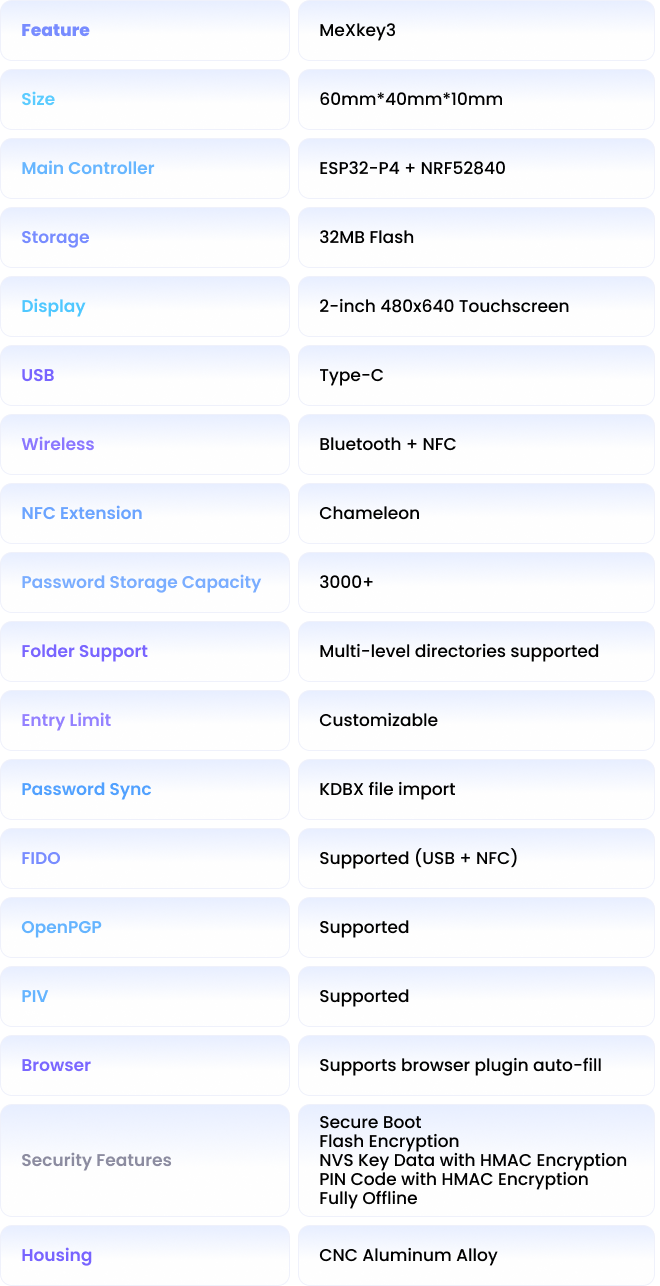
MiixKey can securely store and manageover 3,000passwords with full KeePass KDBX support.

It uses HID mode to control your computer, phone, and other devices, making login incredibly simple. You can import your password file from a computer or manually enter everything directly on the device itself. Once set up, you can instantlyauto-fill usernames and passwords via USB, Bluetooth on any website.
You can share any information instantly via a QR code, and others won’t be able to find what you’ve shared via keyword search.
You can alsogenerate QR codes and NFC tagsdirectly on MiixKey to securely share passwords or access cards with family and friends.
The real benefit? When someone searches through your chat history, they won’t find any QR code — keeping your shared credentials truly private.
To save you time, we’ve specially added a one-click import feature.With just 5 simple steps, you can import all your saved usernames and passwords from Chrome and Edge into MiixKey at once, and then securely access them on any device.
Storing them in a portable security key is much safer than keeping them on the internet or your local computer.
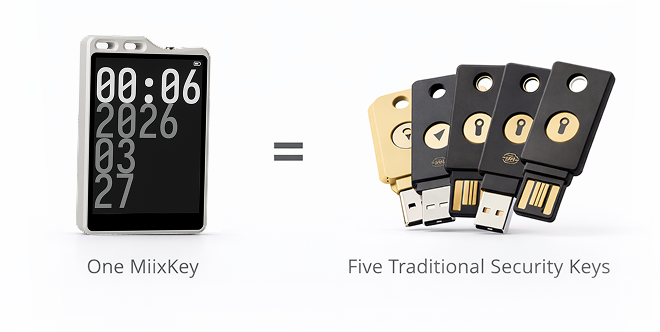
If you're currently using multiple YubiKeys (or similar hardware security keys), MiixKey is your best upgrade choice.
Note: These are three different Proton email addresses. As GIFs are compressed, we are concerned that you may not be able to make out the email addresses when signing in.
MiixKey’s five smart card slots are like having five separate YubiKeys in one device.
Each slot supports FIDO2, PIV, and OpenPGP simultaneously — and can store up to 64 FIDO2 passkeys — all protected by its own unique PIN. Even if someone gets your main device PIN, they still can't access the credentials in other slots without their individual slot PINs. Across all five slots you get up to 320 FIDO2 credentials total.

Encrypt files using OpenPGP
Real separation. Stronger security. Everyday convenience.
In enterprise environments — especially for programmers, finance teams, and R&D staff who prioritize information security — managing FIDO, PIV, and OpenPGP credentials can be complex.
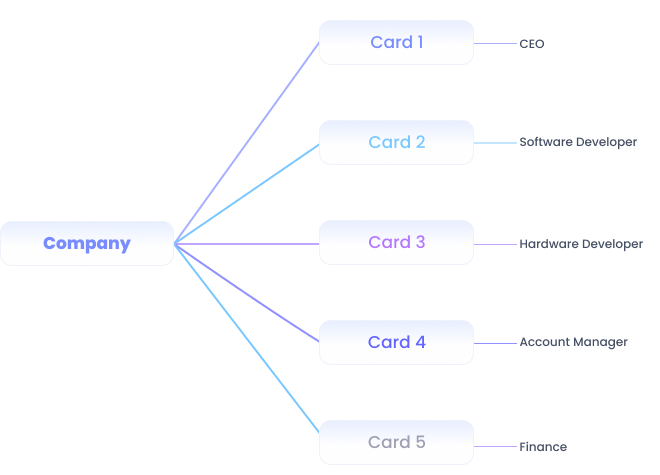
With MiixKey, one device can be securely shared amongup to 5 employees.Each employee only holds the PIN for their own dedicated smart card slot.
This allows five team members to manage large numbers of different accounts on a single MiixKey, while preventing any employee from accessing accounts managed by the others.
Strong separation of duties, centralized hardware control, and enhanced security —all in one compact device.


MiixKey can generate highly secure random passwords with a maximum length of64 characters.
The generated passwords can be automatically filled into new entries or exported as a CSV file for secure backup in KeePass or KeePassXC.
Password Length: Minimum 1 character, maximum 64 characters.
Random Password Generation: Once generated, a random password will be created based on the settings below and automatically filled into the ‘password‘ field of the new entry.
Enable Uppercase Letters: Includes ABCDEFGHIJKLMNOPQRSTUVWXYZ
Enable Lowercase Letters: Includes abcdefghijklmnopqrstuvwxyz
Enable Numbers:Includes 0123456789
Enable Special Symbols: Includes !"#$%&'()*+,-./:;<=>?@[]^_`{|}~
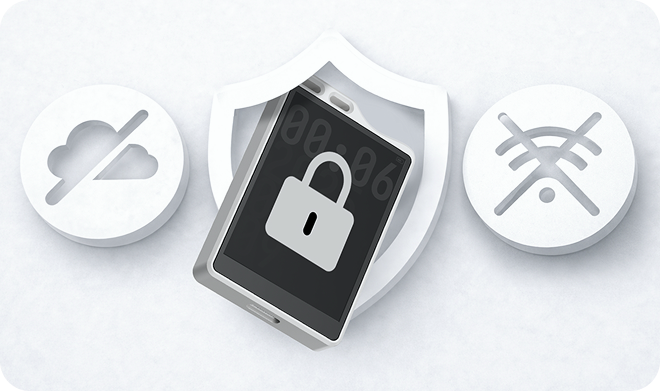
MiixKey is designed towork entirely offline— with no internet connection, no cloud sync, and no online accounts required.
All passwords, keys, and operations happen directly on the device. This means your data stays completely private and protected from remote hacks or cloud breaches.
To access your information, an attacker would need physical possession of your MiixKey — and even then, they face multiple layers of hardware-level protection.
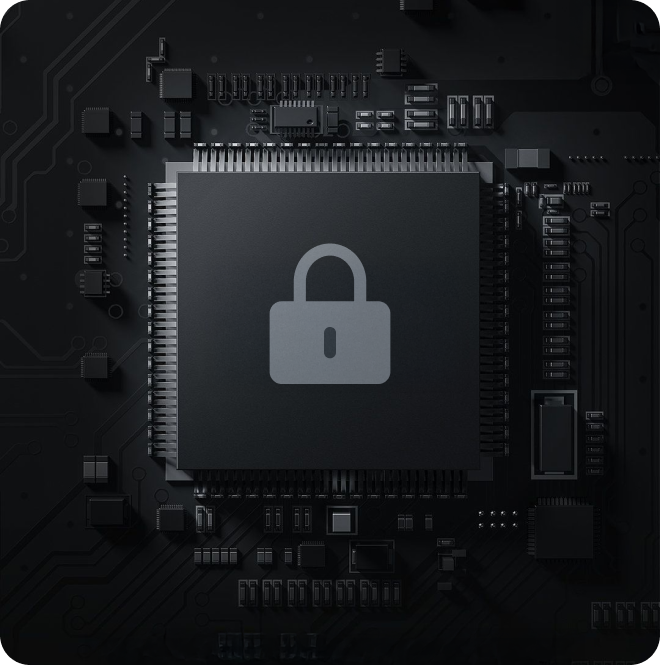
MiixKey is designed to be highlyresistant to both physical and software-based attacks. Powered by the ESP32-P4 chip, it provides multiple layers of protection.
In simple terms, every time the device is powered on or rebooted, it verifies the firmware through adigital signature mechanism(Secure Boot v2). Even if someone obtains your MiixKey, disassembles it, and tries to flash malicious firmware or install malware, they will still beunable to access any of the information stored inside.
Secure Boot v2— Verifies firmware integrity on every boot to prevent malicious code
Flash AES-256 Encryption— Encrypts all stored data at the hardware level
NVS + PIN HMAC Encryption— Protects critical settings and your PIN with device-unique keys
Once you own a MiixKey, we no longer worry about your passwords being stolen through online attacks. Our biggest concern is a physical threat — when someone approaches you with force and demands access to the information stored on your device.
That’s why we built two special protection modes into MiixKey.
You can create asecond decoy data vaulton MiixKey and set a dedicatedDangerousMode PIN.
In a real-life Dangerous such as robbery or coercion, simply enter theDangerous Mode PIN. MiixKey will immediately display only the pre-set fake vault, while the real dat vault is instantly and permanently wiped. No one will be able to recover your actual data afterward by any means.
MiixKey also includes athird “Emergency Mode” vaultdesigned for your most critical and sensitive information — such asimportant username and passwords or data that requires delayed access.
To use this feature:
Set a special Emergency Mode PIN and an activation delay time (up to 64 hours).
Hand the device over to a trusted person.
When they need to access the entrusted information, they must first enter the Emergency Mode PIN and then keep the MiixKey continuously powered via USB cable. For example,a 48-hour delay requires 48 hours of uninterrupted power supply. Only after the full activation time has passed will they be able to open the Emergency Mode vault and view the information you entrusted to them.
This creates a secure, time-locked handover mechanism without relying on any cloud or remote access.
We believe your most important passwords should never be entered into any app or software that requires an internet connection — including ours.
That’s why MiixKey offers two secure ways to add passwords:
Manually on the device— Enter passwords directly using MiixKey’s built-in screen, with no phone or computer needed.
Batch import via KeePass or KeePassXC— Export your passwords from these trusted, fully offline and encrypted applications, then import them into MiixKey in one go.
Both KeePass and KeePassXC work completely offline and provide strong encryption, ensuring your passwords remain protected at every step.
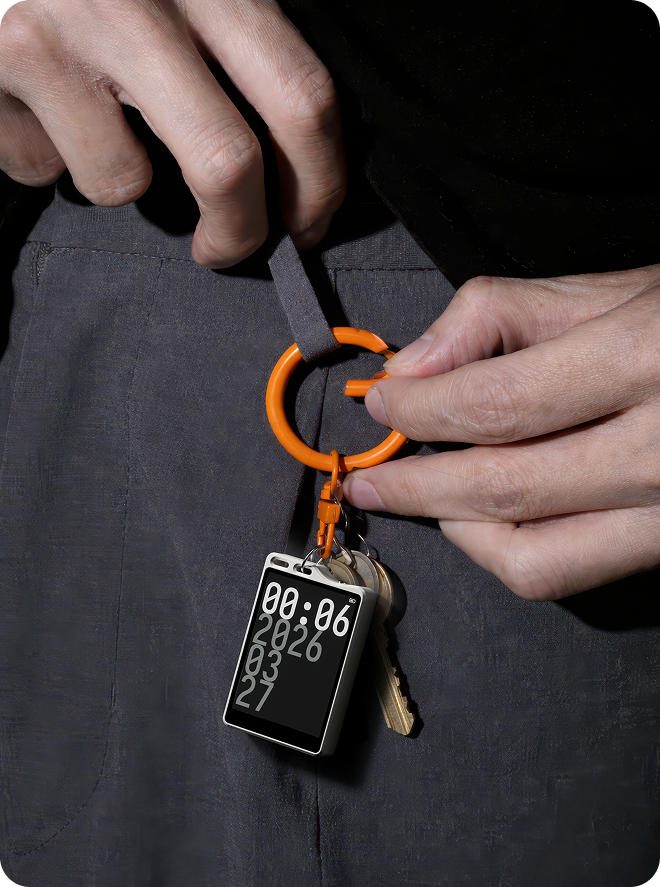
Carry MiixKey with you wherever you go. It can be attached to your keychain.
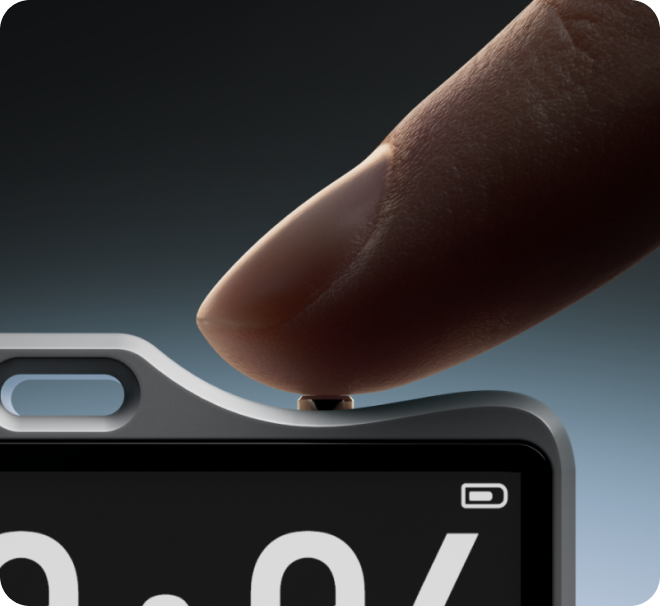
The shell of MiixKey is made of full aluminum alloy, and the power button features solid brass with gold plating, ensuring long-lasting durability.
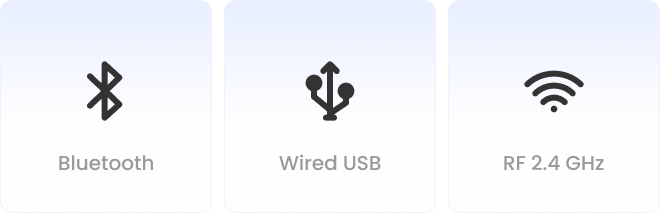
MiixKey can connect to different devices via Bluetooth, USB, or NFC, so you can use it on more than just your computer.
You can store a lot of passwords in MiixKey.
Before designing MiixKey, I stored over 100 accounts and passwords right in my Google Chrome browser—until my wife found my Google passwords valut and logged into several sites using my accounts (she knew my computer login password!).
I’ve also forgotten my Instagram password more than once, and I constantly mix up my banking app login password with my payment password.
MiixKey solves exactly this kind of everyday frustration.
Government employees, lawyers, doctors—anyone who manages confidential accounts and critical information—needs aconvenient, secure, completely offline device to keep passwords safe.
MiixKey completely isolates phishing attacks, trojans, and viruses from your valuable data.
Find Passwords & Auto-Fill
Main menu → Search (supports Chinese & English) → Select entry → One-tap fill via USB or Bluetooth directly into your browser or app.
Passwordless Login (FIDO2 / Passkeys)
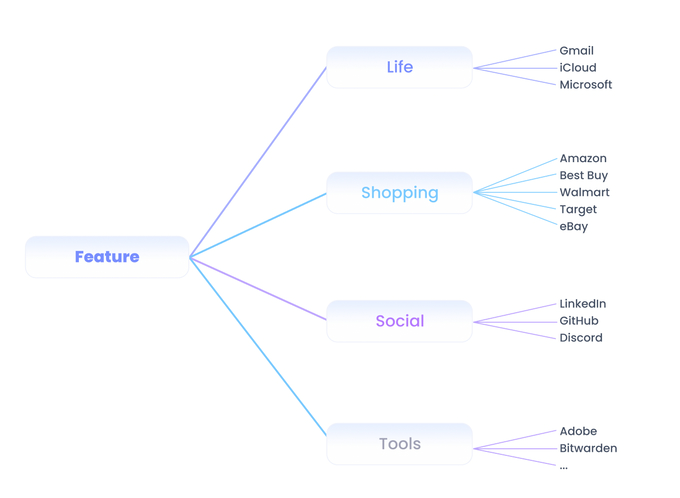
Plug in via USB or tap NFC on your phone/laptop → Approve on screen → Instantly log in to Google, GitHub,Microsoft, Proton and any site that supports passkeys.
Securely Share Passwords
Long-press an entry → Generate a QR code or NFC tag → Safely share with family members or for temporary access.
Portable NFC Access Cards
Turn MiixKey into your personal NFC access card — supports up to 8 cards at once (perfect for doors, elevators, offices, etc.).
Dynamic Codes (TOTP / 2FA)
Built-in generator for time-based one-time passwords. View your 6-digit codes directly on the device — no need for a phone app anymore.
Custom Scripts & BADUSB
Write simple scripts to automate keystrokes (e.g., one-tap long commands, form filling). A favorite among developers and penetration testers.
OpenPGP & PIV Smart Card Support
Sign emails, encrypt files, authenticate SSH, and more — supports up to 5 independent OpenPGP keys or PIV smart cards simultaneously.
Marcus K.
08/05/2026
Imported about 1,200 passwords from my Chrome export in under five minutes. The NFC auto-fill on my phone is the part I didn't expect to love this much. Tap the key against the back of the phone, pick the entry on the touchscreen, done. The screen is sharp and the menus actually make sense, no decoder ring required. Solid metal body, feels like a tiny piece of pro audio gear in your pocket. Worth every cent.
Sarah Wilson
07/05/2026
I've been a YubiKey user for six years. The MiixKey replaces three of mine and a paper wallet backup. The screen is the killer feature. Being able to see which credential you're approving, and on what site, before you tap confirm is something I didn't realize I needed. Set up FIDO2 with Google, GitHub and my company Microsoft tenant in about ten minutes total.
Hiroshi T.
07/05/2026
Excellent build. The glass over the touchscreen has a nice oleophobic coating, fingerprints wipe off cleanly. Cloned my office access card on the second try and it now opens the door reliably. The PIV applet works with my company laptop for SSH. Battery lasts a few days of moderate use between charges via USB-C.
Camille D.
06/05/2026
Bought two, one for me and one for my husband. We were drowning in a password manager subscription and a separate hardware key, and this collapses both into one device. The touchscreen makes searching an 800-entry vault painless. NFC tap to fill on Android is fast. Travelled to Spain last week and used it on hotel WiFi captive portals without ever exposing a password to the laptop.
David O'Connor
06/05/2026
Stored my crypto seed phrases on this and finally retired the metal plate I had hidden in the wall. Twelve and twenty-four word phrases, encrypted on the device, accessible only after PIN and a confirmation tap on the screen. The Emergency Mode is what sold me. Knowing that if it's lost or stolen the wrong PIN sequence will brick it gives me real peace of mind.
Anna Schmidt
05/05/2026
Our entire engineering team got these. FIDO2 enrollment with Microsoft Entra was painless, and unlike a typical key with a button you can actually verify which user account you are signing in to on the screen before approving. Phishing-resistant by design but with a UX that doesn't make people complain.
Thomas R.
05/05/2026
I run a small consulting firm and have to log into a dozen client tenants per week. Having all my passkeys in one device with a screen that tells me which one I'm pulling up is night and day compared to a button-only key. My MacBook recognizes it instantly over USB-C. NFC works fine on my iPhone. No companion app required for the basics.
Lena P.
04/05/2026
Really good product, would have been five stars if it had Bluetooth. NFC and USB-C cover most cases, but I sometimes want to authorize on my desktop without unplugging headphones. The screen scratches a tiny bit in my bag too, I'd pay extra for an official leather sleeve. Otherwise the build is great and the password vault is genuinely useful.
Yuki N.
04/05/2026
Travel use case is what I bought it for. Boarded a fourteen-hour flight and could still pull up my insurance number, my hotel booking reference, my Wi-Fi credentials, all from the device while completely offline. Battery was at about 70 percent when I landed. The touchscreen is bright enough indoors but I admit a bit washed out in direct sunlight on the beach.
Brian Chen
03/05/2026
I imported my whole password CSV from Chrome on day one and panicked thinking it would be a mess. It wasn't. The vault organized everything by domain and the search field on the touchscreen is fast. Daily auto-fill via NFC has replaced my browser password manager almost entirely. Feels like a real privacy upgrade.
Isabella Romano
03/05/2026
Beautiful object. Brushed metal sides, glass front, weighs just enough to feel substantial. The screen UI is clean, no weird animations or marketing fluff, just menus that work. I keep mine on my keychain and it has not picked up real damage in three weeks of daily abuse.
Olivier B.
03/05/2026
Switched from a YubiKey 5C to this. The touchscreen alone justifies the price difference. Approving a sign-in with full visibility of the relying party and account name is qualitatively different from blindly tapping a button. FIDO2 worked with every site I threw at it including a few finicky French government portals.
Megan T.
02/05/2026
Solid device, well thought out, but there is a real learning curve. I spent a couple of evenings exploring the menus and watching videos before I felt comfortable. Once you get past that it is excellent. A simpler quick-start mode would help newcomers. Build quality is great and the touchscreen is responsive.
Felipe Costa
02/05/2026
Cloned my apartment building NFC fob on the first attempt and it has worked every single time since. Did the same with my gym tag. I can leave the cards at home now and just tap the key. Touchscreen confirmation before emulation is a nice safety touch, no accidental door opens in your pocket.
Charlotte Davies
01/05/2026
Set this up for my parents who are in their seventies and getting nervous about online banking. The big screen and visible confirmations made it click for them in a way a button-only key never would have. They actually use it, which is the real test.
Pieter van der Berg
01/05/2026
Use it daily to sign into AWS, GitHub, my bank, my email. The vault holds about 400 entries so far, plenty of headroom. OpenPGP works for signing my Git commits. PIV cert handles SSH on my work laptop. Charges from zero in maybe an hour over USB-C. No complaints.
Jessica M.
30/04/2026
Genuinely impressed by the hardware and software, and I love the screen. My one gripe is that the glass already shows a faint scratch after a couple of weeks in my bag with keys. I'd happily pay for an official leather case option. Otherwise it is a fantastic upgrade over my old key.
Rajesh A.
29/04/2026
I keep my recovery seed for two crypto wallets on this. Encrypted, only viewable after PIN, and it never connects to any wallet software directly. That is exactly the air gap I wanted. Emergency wipe on too many failed PINs is the cherry on top.
Emma L.
29/04/2026
I work in healthcare IT and we evaluated this against a couple of enterprise hardware keys. The MiixKey came out ahead on usability because of the screen. Audit-friendly, phishing-resistant, and people actually want to carry it instead of losing it in a drawer.
Greg P.
28/04/2026
Solid hardware and the feature list is impressive, but PIN entry on the touchscreen is slower than I expected. If you have a long PIN you feel it every time. The screen also catches a lot of glare outdoors which makes it tough to read on a sunny patio. I still use it daily, just wanted to set realistic expectations.
Sofia G.
27/04/2026
The Chrome import was the moment I knew I had bought the right thing. About 950 passwords moved over in minutes, neatly grouped, ready to use. Daily NFC tap-to-fill on my phone is now a habit. I cancelled my password manager subscription this morning.
Liam Thompson
27/04/2026
The touchscreen genuinely is the killer feature. After years of YubiKey, going back to a button-only device feels like driving a car with no dashboard. Seeing the account, the relying party, even a little icon for the service before you confirm is a meaningful upgrade in trust.
Naomi F.
26/04/2026
Travelling through three countries this month. Used it to log into my bank from sketchy hotel WiFi without ever typing the password into the laptop. The NFC tap to a borrowed Android phone in an emergency was a small miracle. Battery has held up fine across the trip.
Henrik J.
26/04/2026
Excellent device but I really wish it had Bluetooth. There are moments where pulling it out and plugging in is friction I'd rather avoid. NFC covers a lot but not everything. Otherwise the touchscreen and the build are first class.
Aiko M.
25/04/2026
Lost a previous hardware key last year and the recovery process was painful. Knowing that this one has Emergency Mode, where a wrong-PIN sequence factory wipes the device, took a real weight off. If it falls out of my bag tomorrow I will sleep fine.
Carlos M.
24/04/2026
Cloned my office card, my apartment fob, and a hotel room card during a recent stay. Every single one worked first try. Storing them on the device behind a PIN is a nicer model than carrying a stack of plastic. The touchscreen confirms which card before emulating which is exactly the right design.
Priya S.
23/04/2026
Really like it overall. Vault, FIDO2, PIV, NFC emulation, all working. Two small things keep it at four stars for me. Bluetooth would be nice for desktop use, and the screen picks up tiny scratches faster than I would expect for a premium product. Worth the price still.
Robert H.
22/04/2026
Hardware is gorgeous and the feature list is real, but the day to day experience can be slow. Typing a long PIN on a 2-inch screen takes longer than you would think, and I find myself hesitating in bright sunlight because the screen washes out. Useful, but not as effortless as I had hoped.
Julia W.
20/04/2026
Bought one for personal use and one for work. Imported passwords from Chrome on both, set up FIDO2 with Google and GitHub, and was up and running in an evening. The screen takes the device from a security accessory to something I actually enjoy using. Highly recommended.
Mateo R.
17/04/2026
Build quality is what I noticed first. Real metal, real glass, no creaks. Then the screen lit up and the UI looked like a polished consumer product, not a hobbyist tool. Three weeks of daily use with FIDO2, the password vault, and NFC card emulation, and I have nothing negative to report.
MiixKey丨The World's First Security Key with a Touchscreen
2 MiixKeys
$187.00 $279.91
Join our email list
Get exclusive deals and early access to new products.